• Home
  • Products
  • Training
  • Support
  • About Us
  • Forum
  • Sign In

Disk Drive Signatures

Discover
  • Find files faster
  • Search within files
  • Search for E-mails
  • Recover deleted files
  • Uncover User Activity
  • Collect system information
  • Password recovery
  • Hidden Disk Areas - HPA/DCO
  • Volume Shadow Copy
  • Web Browser
Identify
  • Verify and match files
  • Find misnamed files
  • Compare drive signatures
  • Timeline viewer
  • File viewer
  • Memory viewer
  • Binary String Extraction
  • Email viewer
  • Registry viewer
  • File system browser
  • Raw disk viewer
  • Thumbnail cache viewer
  • SQLite database browser
  • ESE database browser
  • Prefetch viewer
  • $UsnJrnl viewer
  • Plist viewer
  • Event Log Viewer
  • Web Server Log Viewer
Manage
  • Case management
  • Generate reports
  • Storage device management
  • Drive Imaging
  • Cloud Drive Imaging
  • Cloud Account Imaging
  • Rebuild RAID arrays
  • Portability
  • Secure case logging
  • Support

OSForensics™ lets you create a forensic signature of a hard disk drive, preserving information about file and directory structures present on the system at the time of signature creation. Identify changes to directories and files by comparing signatures created at different times.

Create Signatures

Creating a signature generates a snapshot of the directory structure of the drive at the point of creation. This information includes data about a file's directory path, file size and file attributes. OSForensics can be configured to include or exclude different drives and directories when creating a drive signature, or even calculate SHA1 hashes for each file on the system.
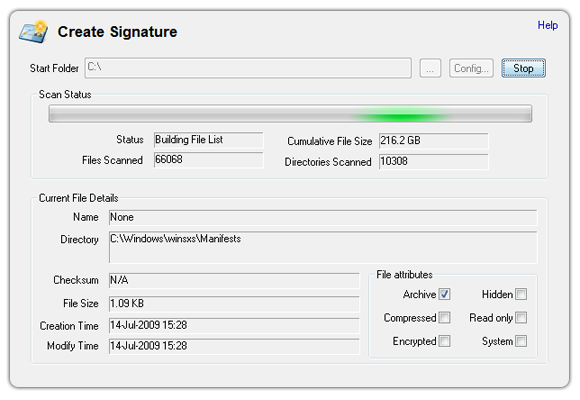
OSForensics can create a disk signature for future analysis.

Analyze Signatures

OSForensics can compare newer signatures with previously generated signatures, letting you quickly identify any suspicious changes to files or directory structure. OSForensics can also use file signatures to indentify duplicate files. Comparing two signatures produces an accessible summary of all file differences, which can be sorted by file name, difference type, file attributes, SHA1 hash (where configured) and more. The summary view can also be filtered to only show files that have been modified, new or deleted. All comparison results can be easily exported to your local drive for future reference.
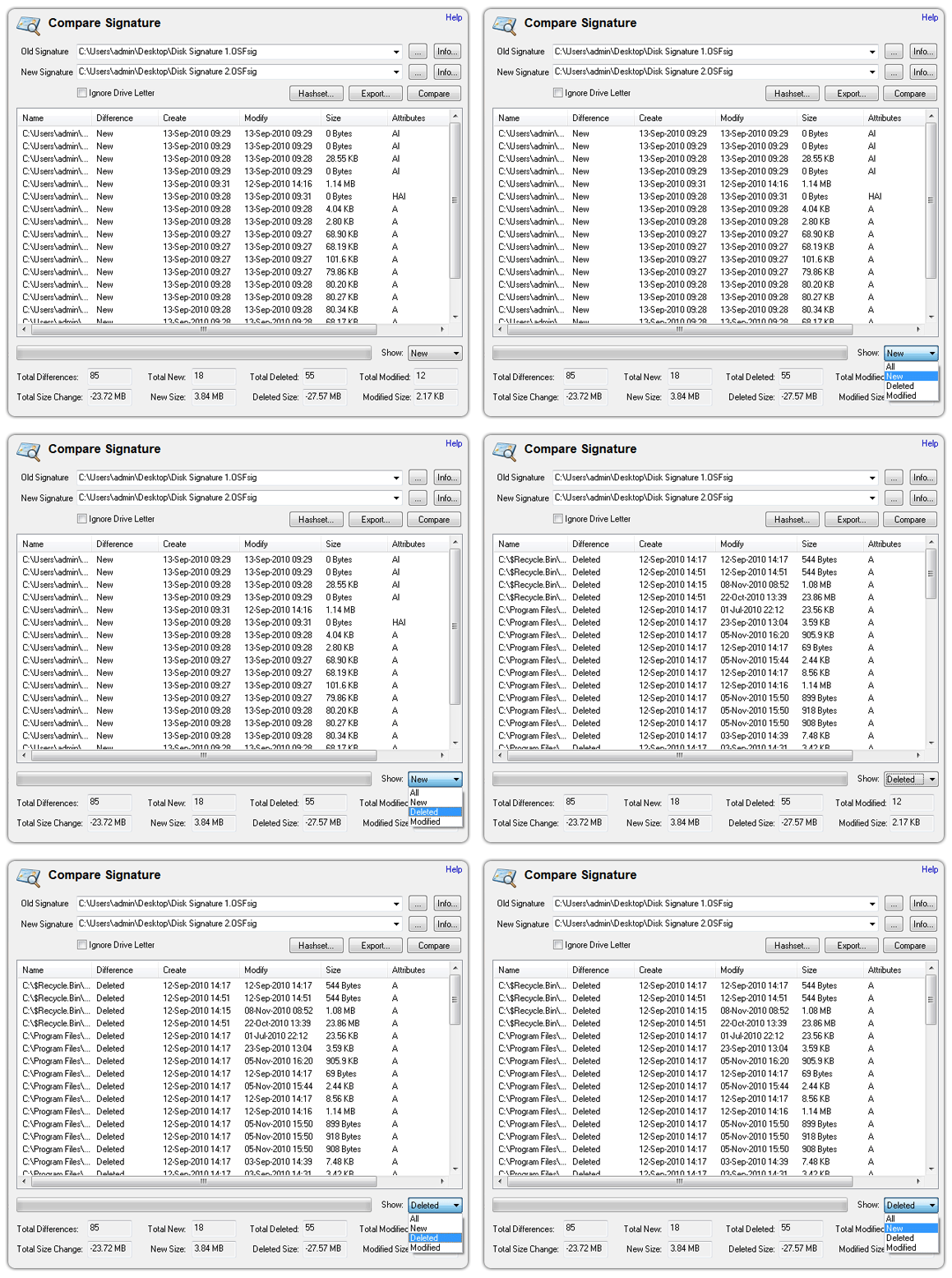
Compare and analyze a disk snapshot to identify suspicious file changes or activity.

Home
Discover Identify Manage
Contact Us Legal Disclaimer Privacy Policy
Products
OSForensics OSForensics Bootable (USB Flash Drive) Rainbow Tables - 3TB hard disk
Training
Online Training Course Certification Exam - Online Triage Exam - Online Face-to-Face Classes 2026 Events Calendar
Support
Video Demonstrations FAQs and Tutorials OSForensics Forums Australian Head Office North American Branch

Copyright © 2025 PassMark™ Software